
Interactive GPX Track Map
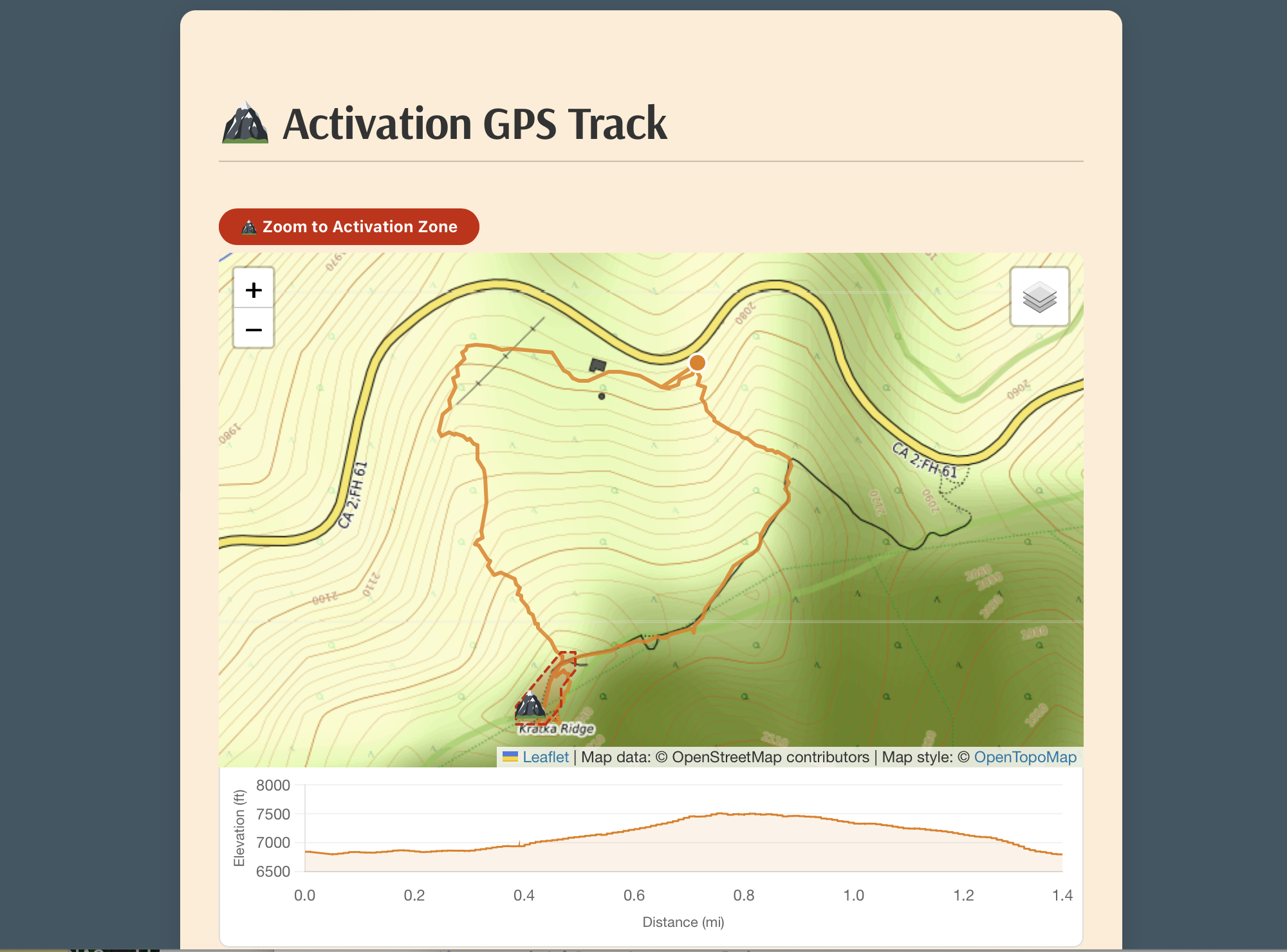
Upload your GPX file and Activator Toolkit for SOTA renders a full interactive map with your track, a summit peak marker, and the precise SOTA activation zone boundary. Switch between Topographic, OpenStreetMap, and Minimal base layers. An elevation profile chart sits directly below the map — hover it to watch a dot track your position across the map in real time.
Automatic Hike Statistics
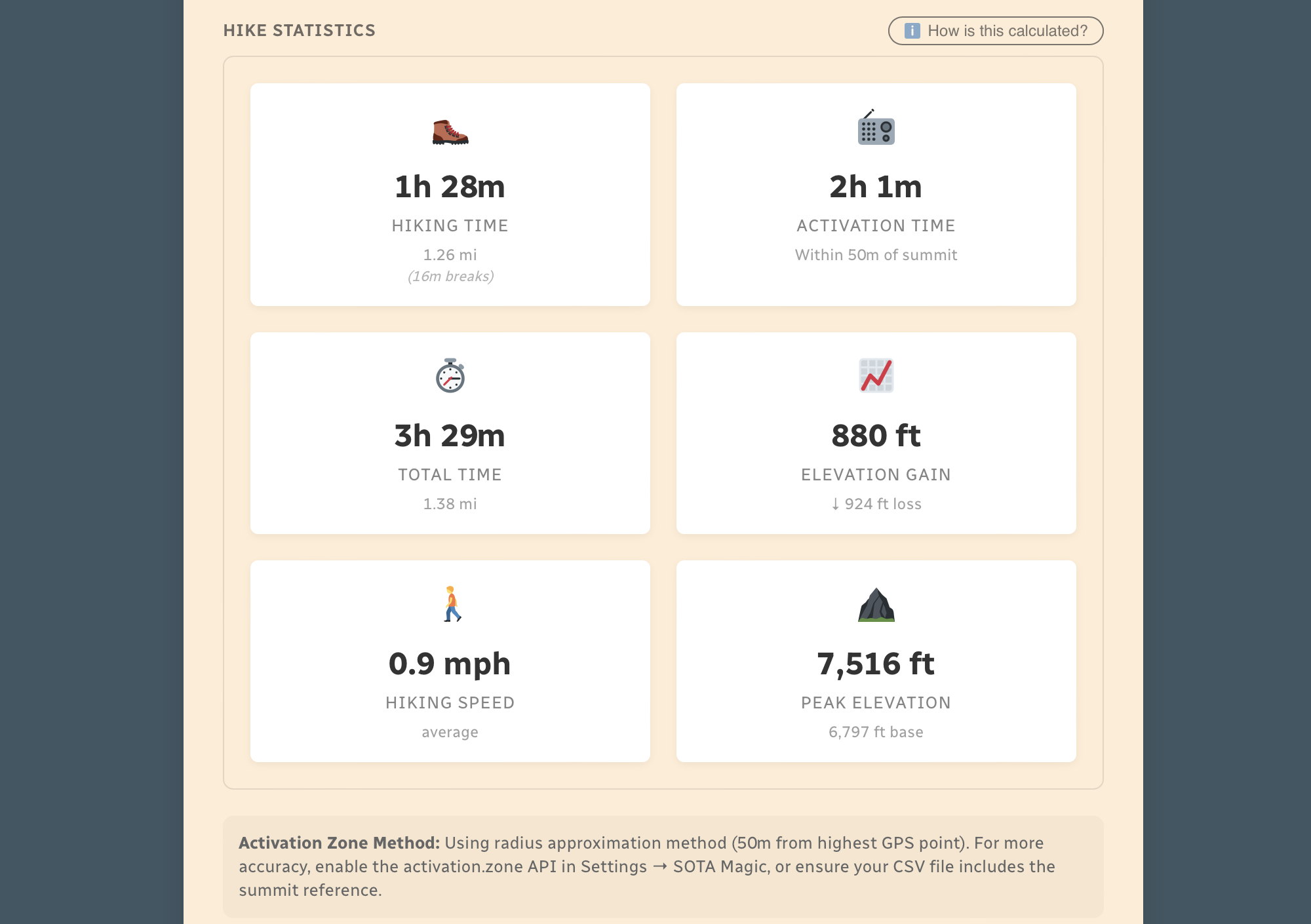
Activator Toolkit analyzes your GPS track and calculates everything automatically — hiking time, activation time, rest breaks, distance, elevation gain and loss, average speed, and peak elevation. It uses the Activation.Zone API for precise terrain-based zone detection (with a configurable radius fallback). Every stat has a manual override field in the block editor if you need to correct anything.
Activation Logbook
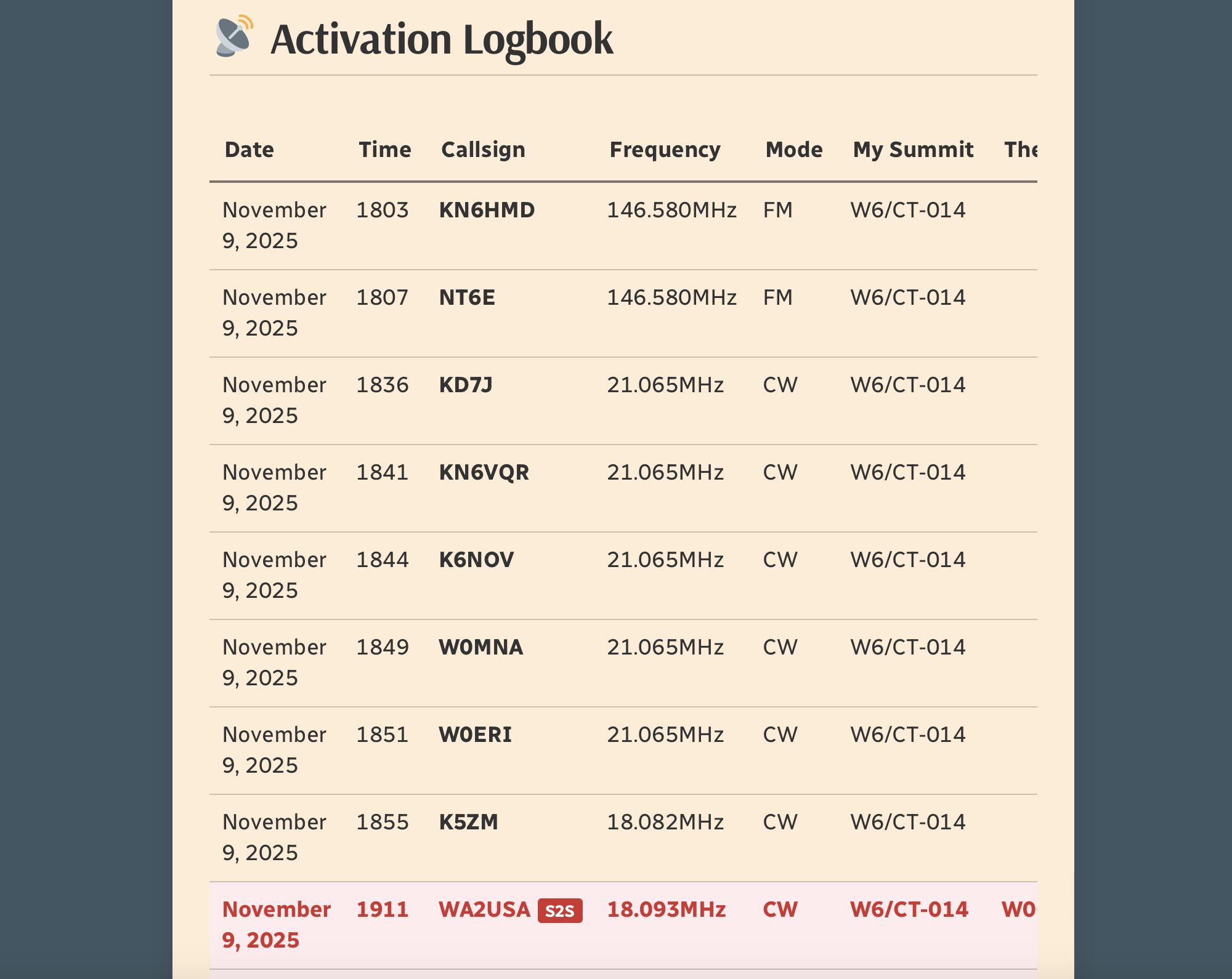
Your SOTA CSV log is parsed and displayed as a clean, responsive contacts table. Summit-to-Summit contacts are automatically detected and highlighted in a custom color of your choosing. The table scrolls horizontally on mobile so nothing gets cut off.
Interactive Contact Map
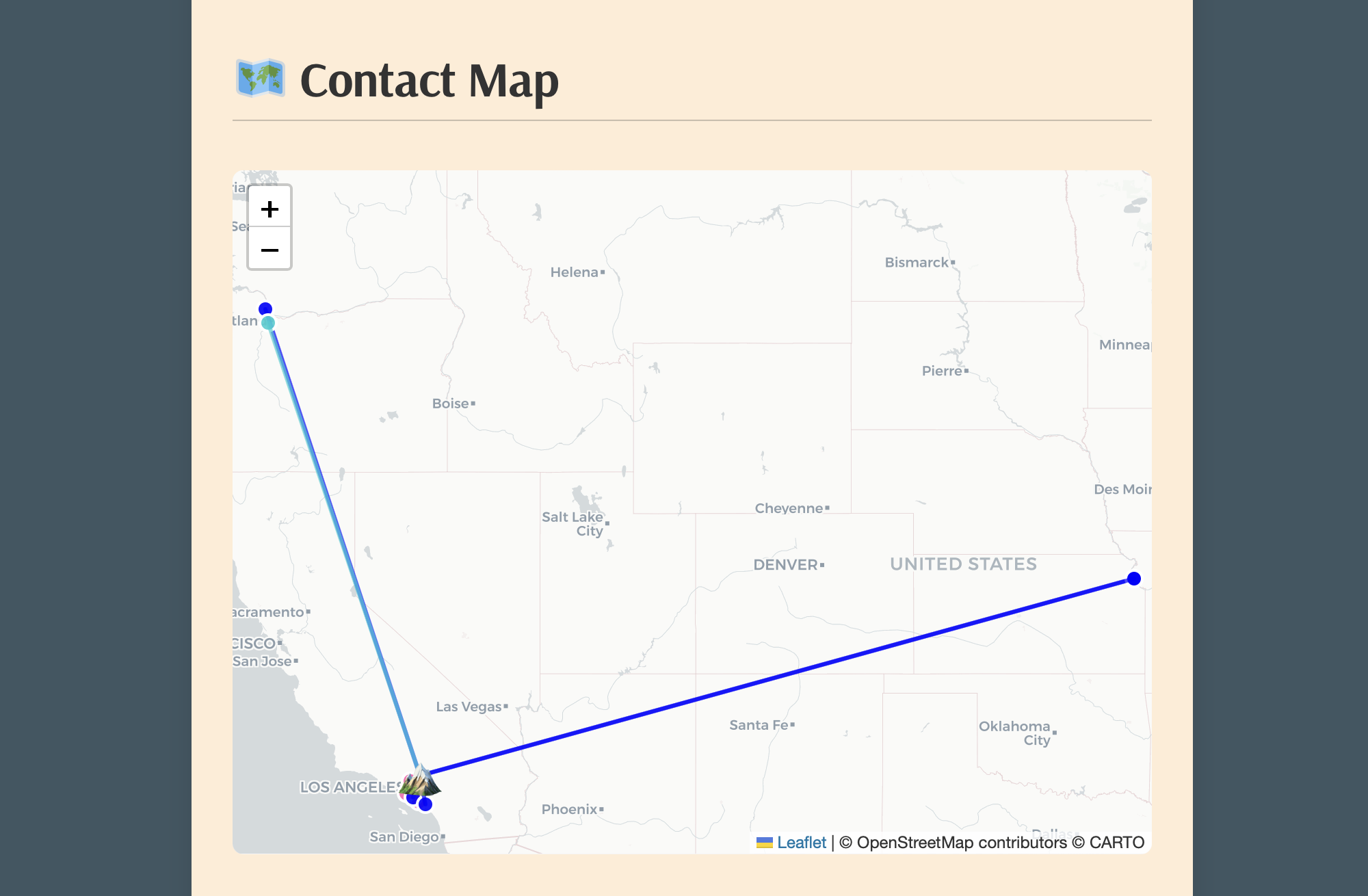
See exactly where your QSOs were located on an interactive map, with color-coded markers by band and lines drawn back to your summit. S2S contacts are pinned using official SOTA API coordinates. Regular contacts use QRZ.com lookups, or Maidenhead grid squares if included in your log comments — no QRZ subscription needed for those.
Simple Block Editor Interface
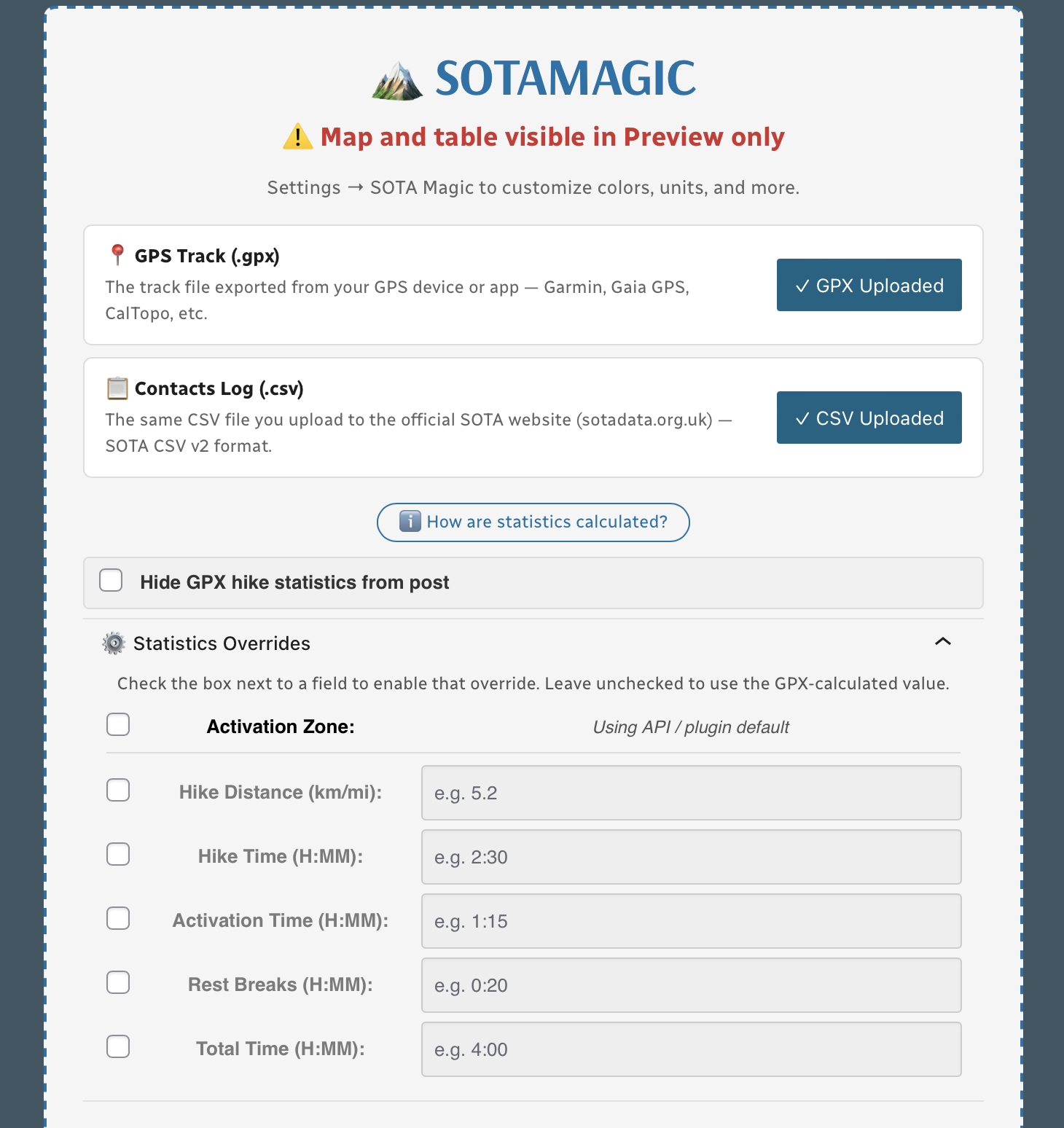
Everything is controlled from a single Gutenberg block. Upload your GPX and CSV files, and the plugin handles the rest. The Statistics Overrides panel lets you manually correct any individual stat — just check the box next to the field you want to override and type in your value. No re-uploading files required.
Fully Customizable
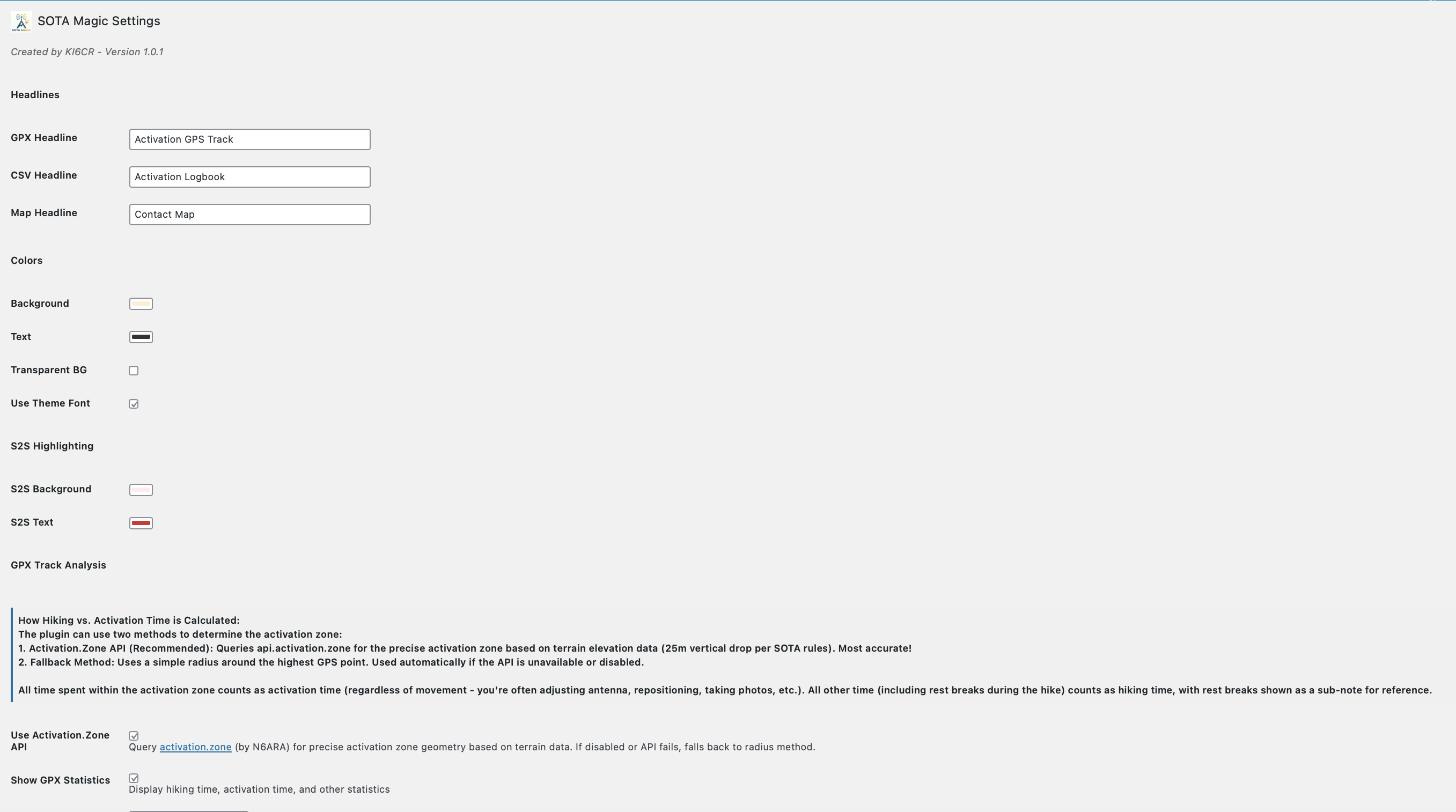
Settings → Activator Toolkit for SOTA gives you control over colors, fonts, headlines, unit system (metric or imperial), activation zone method, and more. Every Activator Toolkit block on your site inherits these defaults — or you can override individual values per block.
How It Works
- Find it on WordPress.org, or install directly via Plugins → Add New → Search for “Activator Toolkit for SOTA”.
- Go to Settings → Activator Toolkit for SOTA and configure your preferences — units, colors, QRZ credentials, and more.
- In any post or page, add the Activator Toolkit for SOTA Gutenberg block.
- Upload your
.gpxtrack file and/or your SOTA CSV log export. - Publish or preview — everything generates automatically.
Features at a Glance
- Leaflet map, 3 base layers
- GPX track with summit peak marker
- Activation zone polygon or radius circle
- Zoom to Activation Zone button
- Hiking time, activation time, rest breaks
- Distance, elevation gain/loss
- Average speed, peak elevation
- Metric or imperial units
- Responsive contacts table
- S2S highlighting with custom colors
- Contact map with band color coding
- Maidenhead grid square support
- Colors, fonts, headlines
- Manual stat overrides per block
- Multiple blocks per page
- QRZ.com integration for contact locations
Requirements
- WordPress 6.0 or later
- PHP 7.4 or later
- QRZ.com XML subscription (optional — only needed for contact map QRZ lookups)
SAMPLE below of reported data using only GPX and SOTA CSV file:
Activation Hike Path
(25m breaks)
How Hike Stats Are Calculated
These figures are derived automatically from your GPX track file.
Hiking Time & Distance
Time and distance accumulated while moving outside the activation zone at a speed above the stationary threshold (default 0.3 km/h). Periods where you were stopped — waiting at a trailhead, taking a break — are excluded and counted separately as Rest Breaks.
Rest Breaks
Stationary periods outside the activation zone lasting longer than the rest threshold (default 3 minutes). Anything shorter is ignored as normal GPS noise or a momentary pause. Rest break time is shown inside the Hiking Time box for reference but is not added to hiking time.
Activation Time
All time spent inside the activation zone, regardless of whether you were moving or stationary. This captures the full period from when you first entered the zone to when you left — including any walking around the summit, setting up gear, and operating.
The activation zone boundary is determined by one of two methods (see below).
Total Time
The elapsed time from the first to the last GPS trackpoint in the file. This equals Hiking Time + Activation Time + Rest Breaks + any unclassified transition time at the boundaries.
Elevation Gain & Loss
The cumulative altitude gained and lost across all trackpoints. Each uphill step between consecutive points adds to gain; each downhill step adds to loss. Out-and-back routes will show roughly equal gain and loss.
Hiking Speed
Average speed calculated as Hiking Distance ÷ Hiking Time. Only moving segments outside the activation zone are included, so rest stops and summit time do not drag the average down.
Peak & Base Elevation
The highest and lowest elevation values recorded in the GPS track. The highest point is also used as the starting reference for the activation zone when the API method is used.
Activation Zone Methods
API-based zone (currently active): The boundary is retrieved from activation.zone using Digital Elevation Model (DEM) terrain data and the official SOTA rule — the zone extends to where the terrain drops 25 metres below the summit. This is the most accurate method and matches what SOTA adjudicators use.
Contact Map
Activation Logbook
My Summit: W6/CT-269
| Date / Time | Callsign | Frequency | Mode | Their Summit | Comments |
|---|---|---|---|---|---|
| January 16, 2026 1920 | KO6DVZ | 146.450MHz | FM | ||
| January 16, 2026 1934 | KD7DTSS2S | 144.100MHz | CW | W6/CT-228 | |
| January 16, 2026 1940 | KE6EEK | 144.085MHz | CW | DM04sg | |
| January 16, 2026 1949 | NT6E | 144.085MHz | CW | DM03tu | |
| January 16, 2026 2002 | K3MGM | 144.215MHz | SSB | DM04TE | |
| January 16, 2026 2005 | KE6TH | 144.215MHz | SSB | DM04WD | |
| January 16, 2026 2007 | WZ1EEE | 144.215MHz | SSB | DM04TA |

Leave a Reply